
Below are multiple ways you can credit a Teammate while shopping:
- (1) Using the Individual Teammate URL shared with you
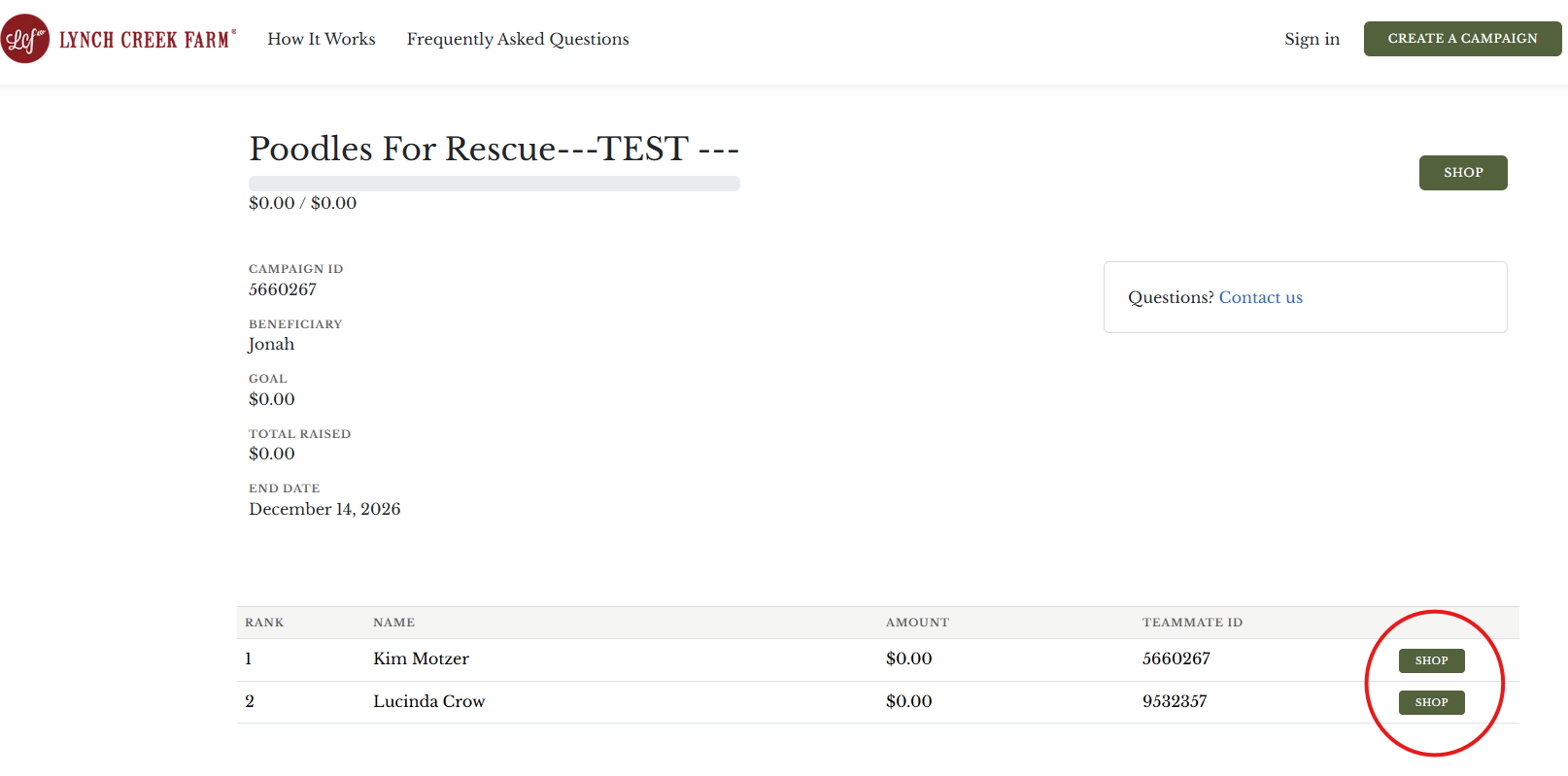
- (2) Choosing a Teammate from the list on the campaign page
- (3) You are the Teammate and would like to shop in support of yourself
- (4) Contact us after the order is placed
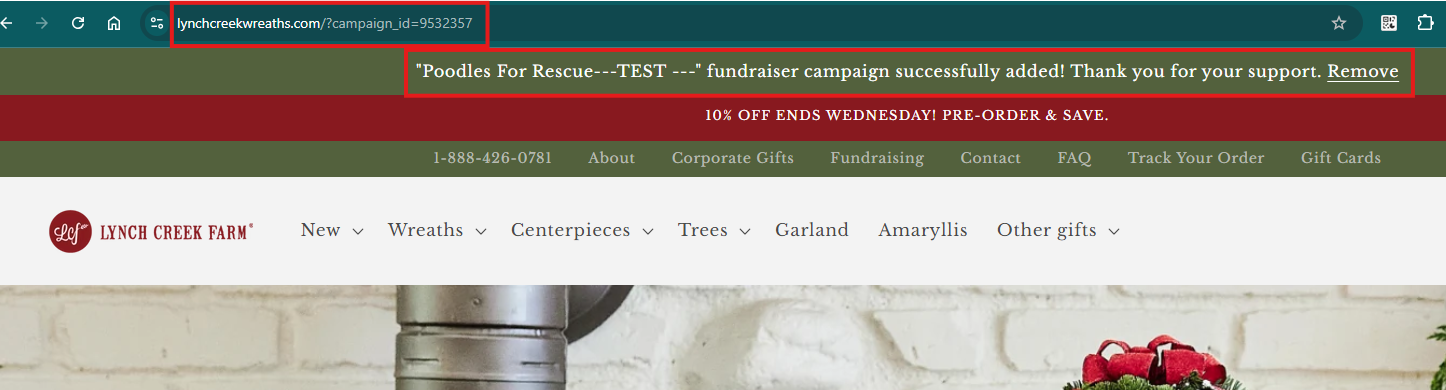
(1) Using the Individual Teammate URL shared with you
If you are using the link for the teammate you would like to support, the URL will have their teammate ID and the website will indicate that the campaign is attached to your order. Now you just have to shop and your order will be credited! (IMPORTANT: Subsequent orders will not automatically credit, you must use the teammate link again)
(2) Choosing a Teammate from the list on the campaign page
(3) You are the Teammate and would like to shop in support of yourself
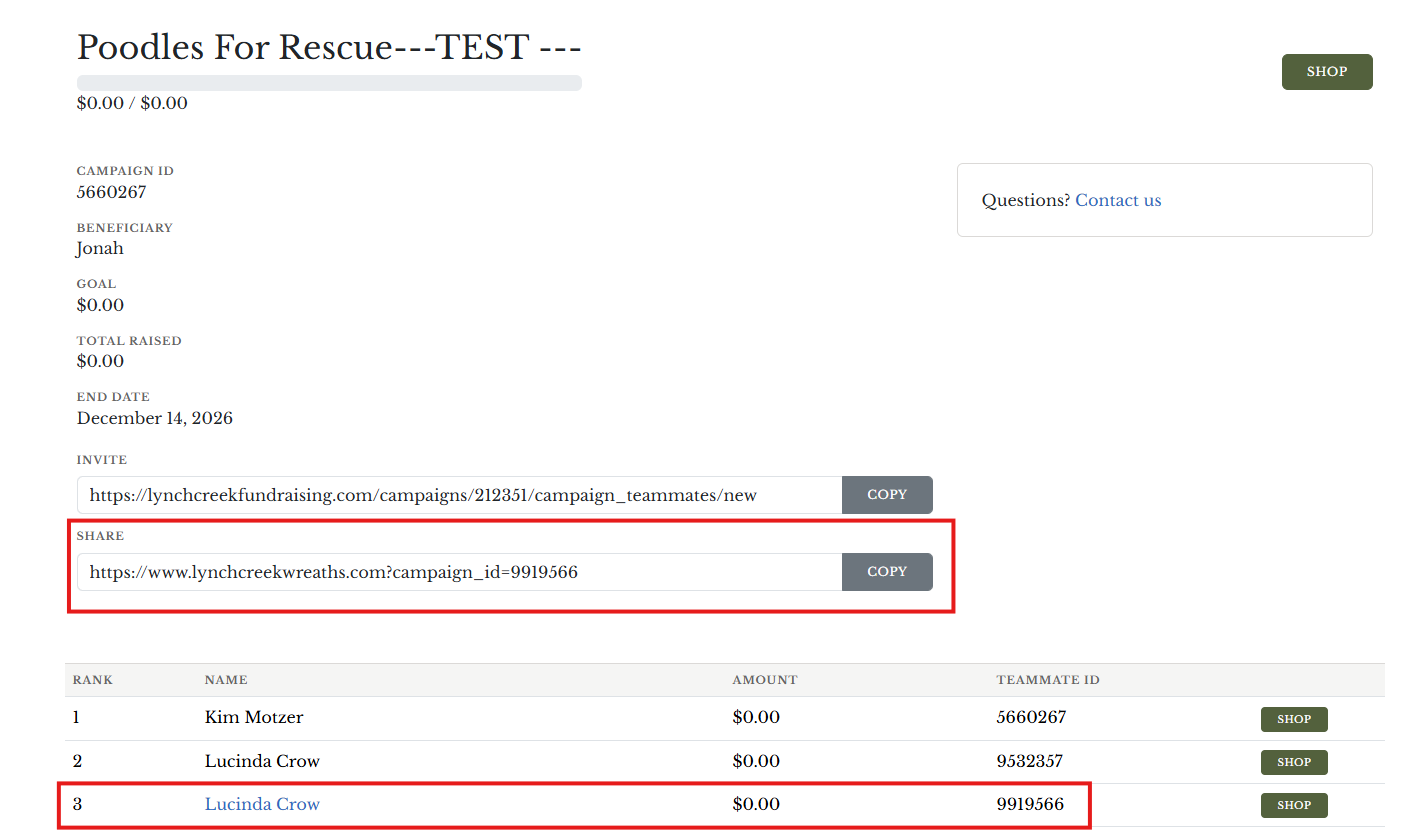
If you are a coordinator or teammate and you wish to shop in support of another teammate, just log out of the website and click SHOP next to their name on your campaign page.
(4) Contact us after the order is placed
If you have placed an order and you know it did not support the correct teammate, please reply to your confirmation email or contact us by phone at 888.426.0781 or by email at fundraising@lynchcreekfarm.com with your order # and the name of the teammate and we will get the order credited to them for you.